

Last updated: September 1, 2026
Will your banking app work abroad without mobile data? No — and the moment you need it most is usually the moment you discover this. You are at a restaurant in Lisbon, the bill comes, you open your banking app to check your balance, and it asks you to verify your identity. A push notification is sent to your phone. But your phone has no data connection, so the notification never arrives. The app locks you out. Your card might still work at the terminal, but you have no idea what the exchange rate is, no way to check your balance, and no way to approve the transaction if your bank flags it as suspicious.
I saw this constantly during my seven years running a hotel in Colombia. International guests would arrive, try to pay for something, and their bank would block the card. They would come to the front desk asking to use our Wi-Fi to unblock it — sometimes in a panic because they had no other way to pay. The ones who had their own mobile data sorted it in two minutes from wherever they were. The ones without it were stuck until they found a Wi-Fi network.
Key Takeaways
- Banking apps, two-factor authentication, and fraud alerts all require an internet connection — without data, you can be locked out of your money abroad.
- Public Wi-Fi is a security risk for financial transactions. Your own mobile data is safer.
- Travel notices are being retired. Several major banks no longer want them and say what matters instead is that they can reach you while you are away.
- Banking uses very little data (under 500 MB for a week-long trip) — the issue is that it needs any connection at all, and you need it at unpredictable moments.
Why Does Two-Factor Authentication Fail Abroad?
Two-factor authentication needs an internet connection to deliver the verification prompt. Without mobile data or Wi-Fi, push notifications do not arrive, and you cannot log into your banking app or approve transactions.
Most banks now require two-factor authentication for logging in, approving transfers, and confirming large transactions. The most common methods are push notifications through the banking app, SMS codes, or authenticator apps.
Push notifications require an active data connection. If your phone is not connected to the internet, the notification never reaches you. You cannot approve the login, and you cannot access your account. SMS codes are slightly more reliable since they use the cellular network, but international SMS delivery is not guaranteed, and it fails completely if the code is going to a number you no longer control. Messages can be delayed by minutes or hours, or fail entirely, depending on your carrier and roaming agreements. Some banks have started phasing out SMS verification entirely.
Authenticator apps like Google Authenticator generate codes offline, which helps — but you still need data to open the banking app itself, load your accounts, and complete any transaction.
What Happens When Your Bank Blocks Your Card Abroad?
Many banks automatically freeze your card when they detect a transaction from an unfamiliar country. To unblock it, you need to respond to a fraud alert — which requires a data connection. Without one, your card stays frozen until you find Wi-Fi.
The bank sends a notification: “Did you just try to pay €47 in Porto?” You need to tap “Yes, this was me.” But if you have no data, you never see that notification. The bank blocks the card. Now you are in a foreign country with a frozen card and no way to unfreeze it because the app will not load and the phone banking line requires an international call.
The old advice was to call your bank before you left and set a travel notice. That advice has quietly expired. Fraud detection improved to the point where the notice stopped being useful, and several major banks have retired it — Capital One says a travel notice is not needed, and Chase no longer accepts them at all.
Read what replaced it, though, because it moves the work onto you. Bank of America’s own travel checklist says it no longer requests travel notifications and instead recommends making sure you can be reached while you are away. That is the whole shift in one sentence. The bank stopped asking where you are going and started assuming it can contact you when something looks wrong. If it cannot reach you, the card stays frozen.
Do Apple Pay and Google Pay Work Without Data?
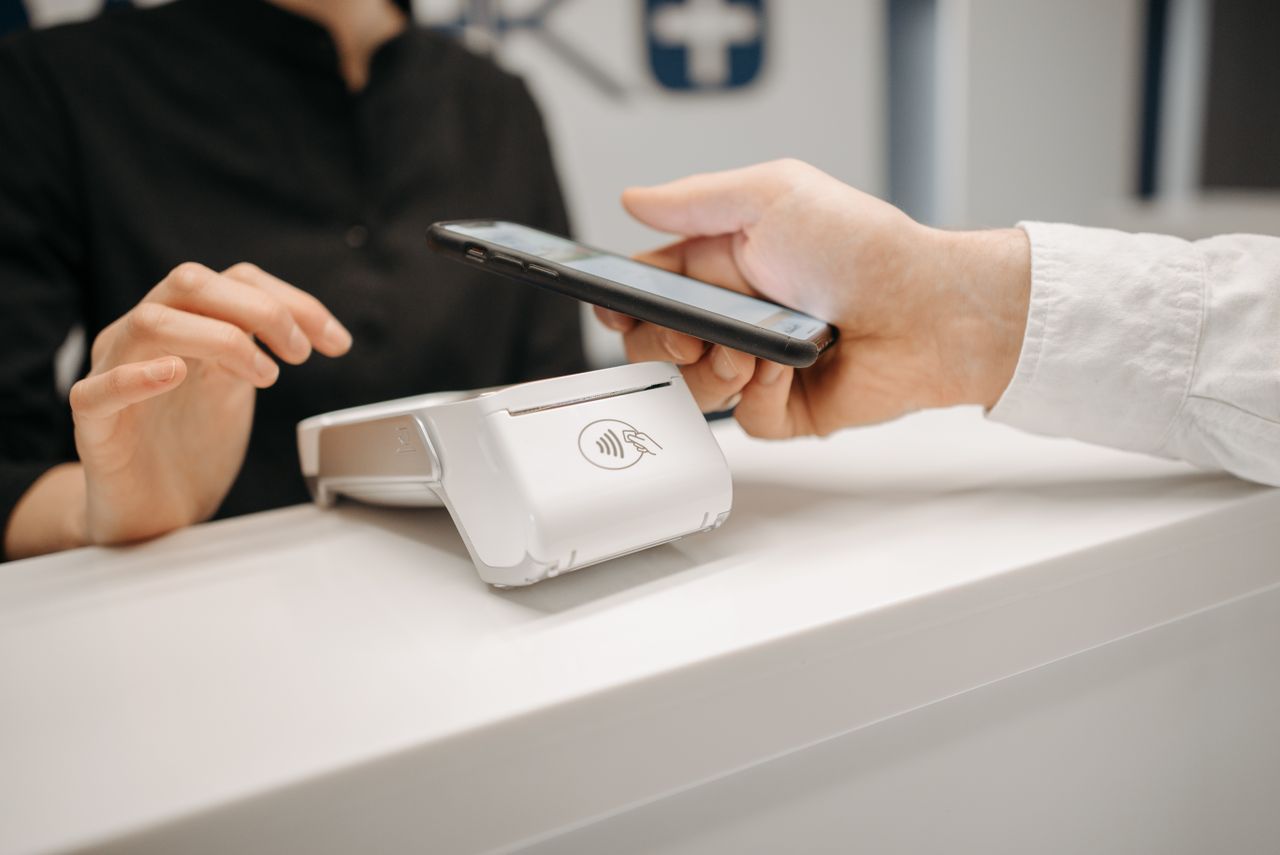
Mostly yes, and this is the exception that confuses people. Tap-to-pay happens over NFC between your phone and the card terminal, so the payment itself does not travel over your internet connection. Apple Pay completes contactless payments with no connection at all. Google Pay uses stored one-use tokens, which run out if you stay offline for a long stretch and then need a reconnection before the next tap.
So your phone can keep paying for coffee while being, in every other respect, cut off. That sounds like good news and it is the source of a particular kind of trouble: the payment working is not the same as knowing it worked.
- A decline tells you nothing. The terminal says the card was refused. Whether that is your bank, the merchant, or a fraud hold is only visible in the app you cannot open.
- You cannot see what you spent. Contactless makes it easy to lose track in an unfamiliar currency, and the running total lives online.
- Adding or replacing a card needs data. If your physical card is lost or blocked and you want to add a replacement to the wallet, that is an online step.
- Google Pay eventually stops. Once the stored tokens are used up, the phone has to get online before it will tap again.
Treat offline tap-to-pay as a bridge for a few transactions, not a plan for a two-week trip.
Can You Check Exchange Rates and Balances Without Data?
No. Your banking app needs internet to display real-time balances, recent transactions, and the exchange rate your bank applied. Currency converter apps also need data to pull live rates. Without a connection, you are spending blind in a foreign currency.
When you are spending in a foreign currency, you want to know what things actually cost. You have no idea if that ATM withdrawal just cost you €5 in fees or €15. You cannot check if the restaurant charged you the right amount. You cannot see if your balance is running low. For larger purchases — a hotel stay, a car rental, a medical bill — the exchange rate difference between today and yesterday can be significant.
What About Sending Money While Traveling?
Money transfer apps like Wise, Revolut, and PayPal all require a data connection. You cannot initiate transfers, confirm payments, or check incoming payments without internet access.
Maybe you need to split a bill with someone using a different currency, pay for accommodation through a bank transfer, or send money home. If you are traveling for an extended period and managing finances remotely — paying rent, handling bills, transferring between accounts — losing access to your banking apps is not just inconvenient. It can cause real problems at home while you are away.
Why Hotel Wi-Fi Is Not Enough for Banking
Hotel Wi-Fi solves the problem only if you exclusively use your banking app from your hotel room. But financial emergencies do not happen at the hotel — they happen at restaurants, shops, transport terminals, and ATMs. And public Wi-Fi raises real security concerns. (This is one of many reasons why keeping your home SIM alongside a travel eSIM makes sense — you stay reachable on your own number while your banking app runs on secure local data.)
Using your banking app on an open café or airport Wi-Fi network is something most cybersecurity experts recommend against. Shared networks can be intercepted. Your own mobile data connection is far more secure for financial transactions. This is something I learned to explain to guests at my hotel — yes, our Wi-Fi works, but for your banking, your own connection is safer.
How Much Data Does Mobile Banking Use?
Banking apps are among the lightest data users on your phone. A typical session uses 5–10 MB. Even checking your banking app five times a day for a week uses under 500 MB total. Here is a breakdown:
- Opening your banking app and checking balance: 3–5 MB
- Two-factor authentication push notification: less than 1 MB
- Making a transfer: 2–5 MB
- Currency converter lookup: 1–2 MB
- Contacting bank support via in-app chat: 5–10 MB
The issue is not that banking uses a lot of data. The issue is that it needs data at all, and you need it at unpredictable moments — standing at a register, sitting in a taxi, standing at an ATM that just swallowed your card.
ATMs Abroad: What You Need to Know
ATMs do not need data on your phone to dispense cash. But finding the right ATM does. Not all ATMs charge the same fees — some independent operators add surcharges of €5 or more per withdrawal. Apps and maps that help you find low-fee ATMs need data to load. And if something goes wrong — your card gets swallowed, the machine errors out, you get charged but no cash comes out — you need to contact your bank immediately through the app, a phone call, or a live chat. All of which require a connection.
What Do You Do If You Are Locked Out of Your Bank Abroad?
Get any connection you can, then work through it in order. Most lockouts abroad are a frozen card waiting on a fraud prompt you never saw, and they clear in about two minutes once you are online. The rest need a phone call, which is why the order matters.
- Find a connection. A café, the hotel, the restaurant you are standing in. Ask — most places will give you the password if you explain.
- Open the banking app and answer the prompt. For a straightforward fraud freeze this is the entire fix. The alert is usually sitting there waiting for a yes.
- If the code goes to a number you cannot receive, stop and deal with that first. A verification code sent to a dead SIM is a different problem from a frozen card, and no amount of Wi-Fi solves it. This is what happens when your phone number changes and the bank still has the old one.
- Call the international number on the back of your card. Not the freephone number, which usually does not work from abroad. Save it in your contacts before you travel, because the card may be the thing that has been swallowed.
- Use the second card. Carry one from a different bank, on a different network, kept somewhere separate from your wallet. It is the single best piece of insurance and almost nobody does it.
- Keep enough cash for 24 hours. Not for the whole trip. Just enough to eat and get back to where you are staying while you sort the rest out.
At the hotel, the guests who handled this well were never the ones with the most sophisticated setup. They were the ones with a second card and a way to get online.
What an eSIM Changes
An eSIM gives your phone a local data connection in whatever country you are visiting. You set it up before your trip, activate it when you land, and your phone is online immediately. Your banking app works. Push notifications arrive. You can approve transactions, check balances, and send money from anywhere — not just from a hotel lobby.
Because you are on a mobile data connection rather than public Wi-Fi, your financial transactions are also more secure. And because an eSIM uses a local network, it is faster and more reliable than roaming on your home carrier, which can introduce delays in receiving SMS verification codes.
For something as important as access to your money, having a reliable connection is not a luxury. It is a basic requirement for traveling safely.
Traveling soon? Browse eSIM plans — set up before your trip, activate when you land, and your banking app, your cards, and your money stay accessible wherever you are. Plans for Europe, the USA, and global coverage.
Frequently Asked Questions
Will my banking app work abroad without data?
No. Banking apps require an internet connection to load your accounts, display balances, and process transactions. Two-factor authentication, which most banks require, also needs data to deliver push notifications or in-app verification prompts.
Can I rely on SMS verification codes when traveling?
Not reliably. International SMS delivery depends on roaming agreements between carriers and can be delayed or fail entirely. Some banks are phasing out SMS verification in favor of app-based authentication, which requires data.
Is it safe to use my banking app on hotel or public Wi-Fi?
Hotel Wi-Fi is generally safer than open public networks, but most cybersecurity experts recommend using your own mobile data connection for financial transactions. A personal data connection through an eSIM is more secure than any shared network.
How do I prevent my bank from blocking my card abroad?
Set a travel notice with your bank before leaving if they offer it. But even with a travel notice, unusual transactions can still be flagged. Having data on your phone means you can respond to fraud alerts immediately and unblock your card in minutes rather than hours.
How much data does mobile banking use?
Very little. A typical banking session uses 5–10 MB. Even heavy daily use for a full week adds up to less than 500 MB. The issue is not volume — it is that banking needs a connection at unpredictable moments you cannot plan for.
Do I need to remove my regular SIM to use an eSIM for data abroad?
No. Most modern phones support dual SIM — your regular SIM stays active for calls and texts from your home number, while the eSIM handles mobile data abroad. Both work at the same time.
What currencies can I track with mobile banking abroad?
Any currency your banking app supports. Apps like Wise and Revolut show real-time exchange rates and fee breakdowns for dozens of currencies. But you need an internet connection to load current rates — cached or offline data may be hours or days old.
Do I still need to tell my bank I am travelling?
Usually not. Fraud detection improved enough that several major banks retired the travel notice — Capital One says it is not needed and Chase no longer accepts them. What replaced it is an assumption that they can reach you, so the useful preparation is now making sure you will actually have a connection abroad.
Does tap to pay work without an internet connection?
Generally yes. Contactless payments run over NFC between the phone and the terminal rather than over the internet, so Apple Pay works offline and Google Pay works until its stored one-use tokens run out. What you lose is everything around the payment: the reason for a decline, your balance, and the ability to add a replacement card.
What should I do if my bank locks me out while I am abroad?
Get online, open the app and answer the fraud prompt — that clears most freezes in minutes. If the verification code is going to a phone number you no longer have, that is a separate problem and needs a call to the international number on the back of your card. Carrying a second card from a different bank is the fastest fix of all.