
Last updated: 24 November 2026
A separate phone number for 2FA keeps your bank’s login codes away from the number everyone already has. Your everyday number sits on your WhatsApp profile, in every group chat, on hotel and car rental bookings, and very likely in a data breach or two. When that same number also receives your bank codes, a stranger only needs to take over the line to get in.
This guide explains how that takeover works, why travellers are easier targets, and how to move your codes to a private number without locking yourself out.
Key Takeaways
- Your everyday number is not a secret. It is on WhatsApp, booking forms and leaked databases, so it should not be the thing that unlocks your bank.
- A private second number makes SIM swap fraud much harder. A fraudster cannot take over a number they do not know exists.
- Use a real mobile number, and keep it alive. Banks reject most virtual numbers, and a 2FA number that lapses can end up with a stranger.
Why Use a Separate Phone Number for 2FA?
Because your everyday number is public, and an SMS code is only as private as the number it goes to. A separate phone number for 2FA, used for nothing else and shared with nobody, removes the first thing a fraudster needs: knowing which number to attack. Without it, there is nothing to hijack.
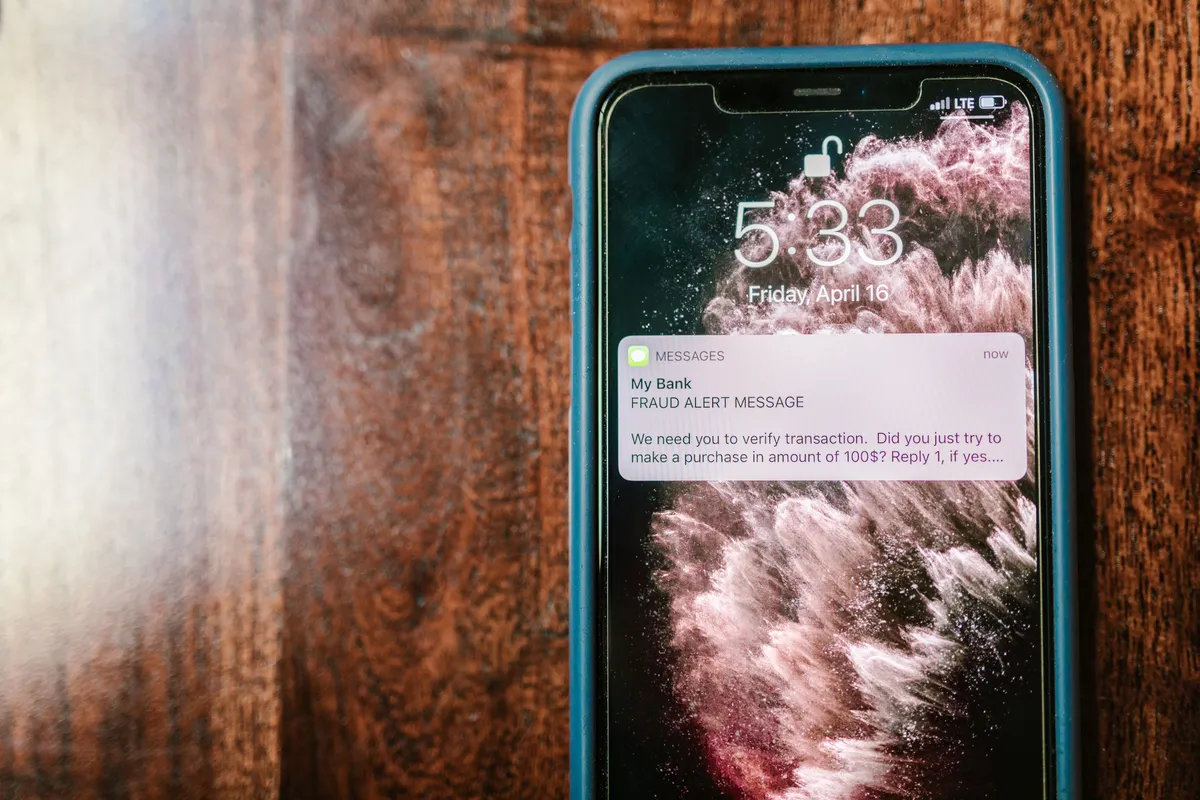
Two-factor authentication is meant to be something you know (your password) plus something you have (your phone). With SMS, the “something you have” is really your phone line, and that line is tied to a number half the internet already knows.
So split them. One number for people, one number for codes. Friends, WhatsApp, hotels and online shops get your everyday number. Your bank, your email recovery and your Apple or Google account get the private one. It does not make SMS perfect (more on that below), but it closes the easiest door.
How Does SIM Swap Fraud Work?
A fraudster convinces your mobile carrier to move your number onto a SIM they control, usually by pretending to be you and claiming a lost phone. Your phone loses signal, theirs starts receiving your calls and texts, and every SMS code your bank sends goes straight to them.
The steps are nearly always the same:
- They collect your details: name, number, date of birth, address, mostly from leaked databases, social media and phishing messages.
- They contact your carrier posing as you. Moving your number to another carrier (a port-out) works the same way.
- Your number moves. Your SIM goes dead and theirs goes live.
- They reset your accounts with “forgot password” and a code by SMS. Email first, then anything with money in it.
Reported cases are still low but rising fast: the UK fraud prevention service Cifas recorded almost 3,000 unauthorised SIM swaps in 2024, up from a few hundred the year before. Those are only the cases its member companies reported.
Why Is Your Everyday Phone Number So Easy to Find?
Because you give it out all the time and it rarely changes. It is on your WhatsApp profile, in group chats, on bookings, in shop accounts and in contact lists uploaded by caller ID apps. Many numbers have also leaked in data breaches, often next to the owner’s name.
Make a quick list of everyone who has your number. On a normal trip it grows fast:
- Messaging: WhatsApp groups show your number to every member, including the 40 people in that wedding chat you never left.
- Travel bookings: airlines, booking platforms, hotels, car rental desks and tour operators. It ends up in their systems, and often on a reception WhatsApp too.
- Breaches: in 2021, the phone numbers of more than 500 million Facebook users were posted for free on a hacking forum, together with their names.
Nobody did anything wrong by having your number. The mistake is using a number this widely known as the key to your money.
Why Are Travellers an Easy Target for SIM Swaps?
Because when you travel, losing signal on your home SIM looks normal. You assume it is roaming, a weak network or a travel eSIM taking over. That gives a fraudster hours or days with your number before you notice, and from abroad it is harder to call your carrier and stop it.
At home, a phone that suddenly says “No Service” in the middle of the city is a red flag. On a trip, it is Tuesday. And a lot of travellers turn their home SIM off to avoid roaming charges, so they would not see it go dead at all.
Recovery is harder too. The carrier’s shop is back home, and the check their support line asks for may be a code sent to the very number that was taken. If your phone was also stolen, everything happens at once, which is why the first hour after a phone stolen abroad matters so much.
Signs to watch for while you travel:
- Your home SIM shows no service while phones around you have signal.
- Emails about a SIM change, a new eSIM or a port-out request you did not make.
- Password reset emails or “new login” alerts from your bank or email provider.
If you see any of these, call your carrier first, then your bank.
What Kind of Second Number Works for Bank Codes?
A real mobile number from a mobile carrier, on a SIM or eSIM. Many banks and apps check the number type before sending a code and reject virtual, VoIP and free online numbers. A carrier number passes those checks, and on an eSIM it sits on the same phone as your main SIM.
Services look up the line type and refuse anything that is not a mobile line, because virtual numbers are cheap to create in bulk. The details are in why VoIP numbers fail SMS verification. Beyond that, check three things:
- It receives SMS abroad without charges, because codes have to reach you wherever you are.
- It lasts for years. A prepaid line that expires after a few months without a top-up is a risk.
- Your bank accepts it. Some banks only take numbers from their own country.
One detail for travellers: most phones hold several eSIMs but run only two lines at once. With a home SIM, a travel data eSIM and a 2FA number, one is always off. The easy setup on a trip is data plus the 2FA line, since WhatsApp keeps your home number even with that SIM switched off. The dual SIM trick explains how two lines split calls, texts and data.
How Do You Move Your 2FA to a Private Number?
Get the new number first, then change accounts one at a time, starting with email, because email can reset everything else. Add the new number before removing the old one, test that a code arrives, and save the backup codes each service offers. Do it at home, not mid-trip.
An order that works:
- Email. The recovery phone on your main account. Whoever controls your email can reset almost everything else.
- Apple or Google account, which holds your passwords, photos and Find My.
- Banks and cards. Some banks let you change the number in the app. Others need a call and add a security hold for a few days, so not the week you fly.
- Money apps and saved cards: PayPal, Wise, Revolut, crypto exchanges, then airline and shopping accounts.
Then three rules:
- Never share the new number. Not with friends, not on a booking form, and no messaging app on it. The moment it is public, it is just another everyday number.
- Keep it alive. A lapsed number can eventually be given to someone else, and your codes go with it. Changing your phone number abroad explains what breaks when a number gets recycled.
- Lock your carrier accounts. Ask for a SIM change PIN or number lock on both lines. In the US, Verizon, AT&T and T-Mobile all offer locks that block SIM changes and port-outs.
Is SMS Still Safe Enough for 2FA?
It is the weakest common option, but much safer on a private number than on a public one. If a service offers passkeys or an authenticator app, use those first. Keep SMS for the accounts that give you no choice, and those are often banks.
The US standards body NIST lists codes sent by text or voice call as a “restricted” authenticator: allowed, but with known risks. The two big ones are SIM swaps and fake websites. A private number fixes the first, not the second. If someone phones pretending to be your bank and you read the code out loud, the number it went to does not matter.
| Method | Can it be SIM-swapped? | Can it be phished? | Needs mobile signal for the code? |
|---|---|---|---|
| Passkey | No | No | No |
| Authenticator app | No | Yes, if you type the code into a fake site | No |
| SMS to a private number | Hard, nobody knows the number | Yes | Yes |
| SMS to your everyday number | Yes | Yes | Yes |
A real passkey is not a phone number at all. It is a sign-in key stored on your phone or in your password manager, unlocked with Face ID or your fingerprint, and it only works on the genuine website. If your bank offers one, switch it on. Banking apps abroad covers what else your banking app needs on a trip.
Frequently Asked Questions
Should I use a different phone number for two-factor authentication?
Yes, if you can. A number that only receives codes and is shared with nobody is much harder to target than the number on your WhatsApp and bookings. Use passkeys or an authenticator app where a service offers them, and put the private number on the accounts that still insist on SMS, which is often your bank.
What is SIM swap fraud?
SIM swap fraud is when someone convinces your mobile carrier to move your phone number to a SIM or eSIM they control. Your phone loses service and they receive your calls and texts, including SMS login codes. They then use “forgot password” to take over your email, your bank and your other accounts.
How do I know if my SIM has been swapped?
Your phone suddenly shows no service or SOS only where it normally works, while people around you have signal. You may also get emails about a SIM change, a new eSIM or a port-out you did not ask for, followed by password reset alerts. Call your carrier straight away from another phone, then your bank.
Can I use a virtual or VoIP number for 2FA?
Usually not for banks. Many banks and apps check the number type before sending a code and refuse virtual, VoIP and free online numbers. A number that works today can also be refused later, when a service tightens its checks. For accounts you care about, use a real mobile number on a SIM or eSIM.
Does a second phone number need a second phone?
No. Most recent phones support eSIM, and an eSIM line can sit next to your main SIM on the same phone. Most phones run two lines at once, so if you also travel with a data eSIM, keep data and the 2FA line on, or switch the 2FA line on when a code is due.
Will my 2FA number receive codes while I am abroad?
It should, if the line allows incoming texts abroad. Most mobile numbers receive SMS when roaming, and incoming texts are free on many plans, but check yours. The phone needs the 2FA line switched on and connected to a local network. It does not need mobile data to receive an SMS code.
What happens if my 2FA number expires?
You stop getting your codes, and after a while the carrier can give the number to someone new, who may then receive them. Set a reminder before the end date, keep at least one backup method on each account, such as backup codes or an authenticator app, and move accounts off the number before you let it go.
Is SMS 2FA better than no 2FA?
Yes, by a long way. Even SMS codes stop most attacks that use a stolen or reused password, because the attacker also needs your phone line. SMS is the weakest kind of 2FA, not a useless one. Move it to a private number, and switch to passkeys or an authenticator app wherever a service offers them.
Cover photo: mktomasik on Pexels.
Related Reading
- Banking App Abroad: SMS Codes and Blocked Cards
- Why VoIP and Free Online Numbers Fail SMS Verification
- Changing Your Phone Number Abroad: What Breaks First
- Phone Stolen Abroad: The First Hour, Step by Step
A private number for your codes: StayVerified is a real UK mobile number on an eSIM that only receives SMS, so your bank codes reach you wherever you are.